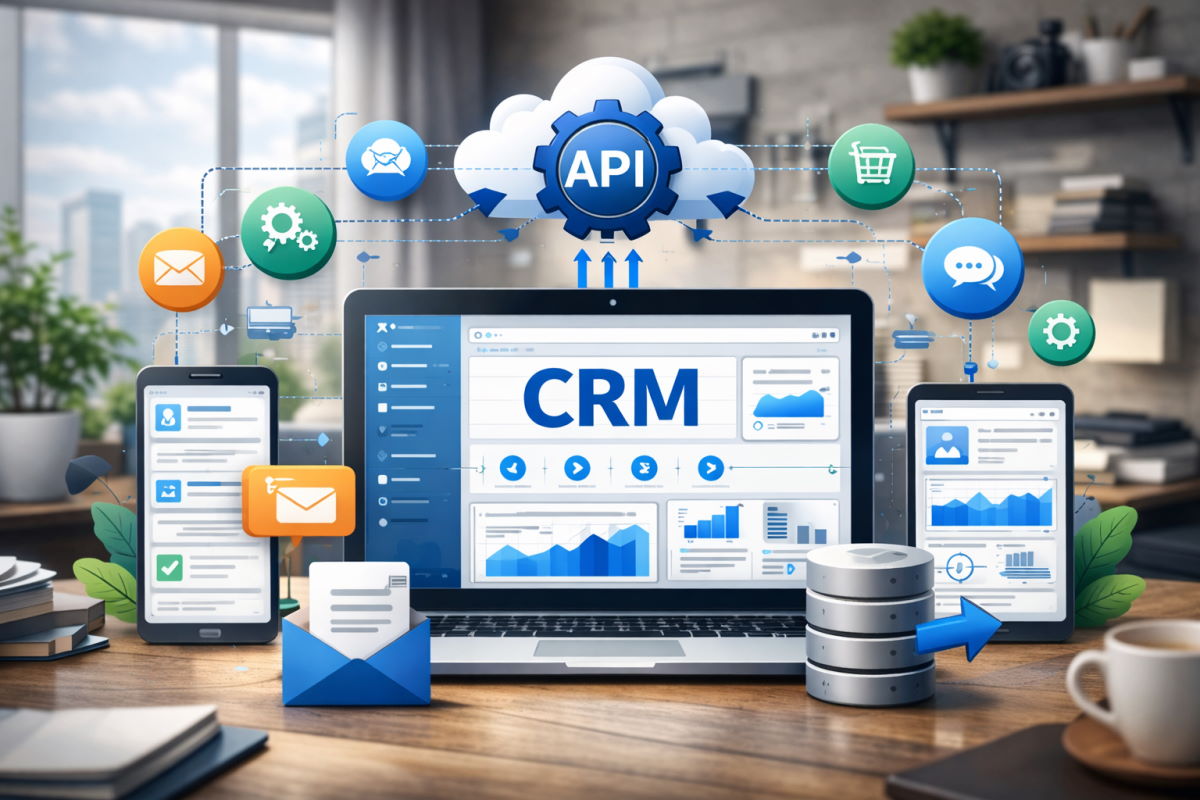
As a business entrepreneur, your customer relationship management software (CRM) is a data hub that assembles and stores data across the entire client roadmap. It ensures insights into every touchpoint, equipping you with insights on how to enhance your products and services. The crucial goal of your CRM is to boost sales, retention, and excellent end-consumer experiences. Yet, all of these benefits are only possible with a special interconnection: CRM API integration. This implies a setup where your software can automatically transfer customer data and trigger actions, engaging your CRM in workflows and making the most of the aggregated customer details.
From our background at PLANEKS, CRM API integration has assisted many businesses in optimizing customer data and enhancing revenue-critical operations, which has helped CTOs, founders, product managers, business stakeholders, and decision makers achieve more efficient and successful products and operations.
Our team wants to guide stakeholders further on the CRM API integration topic, discussing practical concepts, use cases, proven benefits, possible bottlenecks, and more information that can elevate your customer interactions management, elevate your value streams, and seamlessly interconnect your entire tech environment.
Table of Contents:
What Is CRM API Integration?
CRM API integration is a service that provides a smooth data exchange across the required systems in a resilient and secure way. As part of this complex process, API introduces a specification or standard that describes how to build such a connection or interface, as well as how they should communicate and interact.
Definition and Core Concepts
In terms of CRM integration, an application programming interface (API) is a protocol of rules that manages the way external platforms can extract, read, edit, or query the details about the clients without delivering full access to the CRM hub. Therefore, systems can sync contacts, leads, deals, and other customer information in an automated way.
Besides, CRM API Integration and CRM integration have distinguishing features you should be aware of. The basic integration is handled through hand-operated imports, scheduled file transfers, or third-party connectors, often with a lack of flexibility. Talking about the CRM API integration, its difference lies in automation, as well as a more controlled and scalable approach. It is implemented straightforwardly into the software, offering smooth data flow and efficient adaptation in business environments.
How CRM APIs Work
In our cases, up-to-date CRM systems adopt REST APIs, while older or legacy platforms may still leverage SOAP. We mainly use the first option to handle resources such as contacts, leads, and deals, create records, extract pipelines, and log activities. Furthermore, APIs define authentication, permissions, and rate limits to secure data and improve performance. Data can be updated instantly or in batches to minimize load, depending on priority, volume, and system requirements.
Why CRM API Integration Matters
According to CRM.org, 74% of U.S. businesses use a CRM to manage customer interactions, 57% indicate increased sales revenue, and 53% claim to obtain higher customer satisfaction and retention. The same resource cites that companies turning to CRM software development services can elevate conversion rates by up to 300%, allowing organizations to generate more leads and sales through a deep audience analysis, and 94% of businesses report a surge in sales productivity after adopting a CRM platform.
However, it’s almost impossible to achieve such advantages of CRM without intercommunication, since all of them are enabled with API integration. It facilitates data exchange automation, minimizes errors made through manual input, boosts accessibility, enhances workflow cohesiveness, and makes sure all business departments employ up-to-the-minute customer details.
Eliminating Manual Data Entry
Some of the most harmful issues our clients come to us with are manual data entry, which decreases the effectiveness of customer interactions. Hand-operated information input transfer introduces inherent errors that damage the workflow efficiency. As a solution to this issue, CRM API integration has become beneficial to many of our partners since it helps systems to exchange data automatically at the point of creation. In case any changes occur (for example, delivered or canceled orders, support tickets opened or resolved, product usage events, customer behaviour), they are automatically applied to the platform with no human effort required.
Improving Data Accuracy and Customer Insights
In many businesses, we’ve also seen a common bottleneck related to fragmented customer records across systems, which makes reporting unreliable since there’s no base for accurate and effective decisions. When integrating a CRM API to such platforms, we establish the same authoritative record as the product, finance, and support systems. Qualitative, coordinated, and instantaneous data essentially means higher efficiency through more trustworthy analytics, cleaner segmentation, and transparency into customer behavior at every lifecycle stage.
Enabling Real-Time Automation and Workflows
With CRM API integration, you always keep up with the events, being informed immediately as they occur. In practice, this means a trial activation can trigger a sales follow-up, a payment failure can trigger a notification to account managers, or a support escalation can automatically signal deal risk. Real-time integrations enable such operations as soon as activities occur, whereas teams can deliver faster responses to the situation, or even establish operations that can be carried out without manual coordination.
Supporting a Unified Customer Experience Across Platforms
Within our services, PLANEKS helps businesses achieve better customer interactions across all touchpoints and throughout the customer journey. We employ CRM API integration to facilitate smooth, consistent communication with your end-users, introduce more personalized roadmaps, and improve handoffs between teams. This experience feels more coherent to clients, so they perceive the business as more organized, trustworthy, and pleasant to engage with.
Key Benefits of CRM API Integration
Since CRM API integration impacts both sides of the product and service lifecycle, its benefits impact both customer-facing processes and the internal ones.
For Internal Systems
Almost all in-house teams we’ve cooperated with experience seamless and cohesive data transmission, obtaining automation within sales tools, marketing platforms, billing systems, analytics dashboards, Enterprise Resource Planning (ERP) systems, and internal services that securely exchange customer details. For this, we configure structured integration layers with clear data ownership, validation rules, and reliable API orchestration that prevent duplication, data drift, and synchronization gaps. This means all team members and departments work on a single source of truth and absolute synchronization.
CRM API integration also keeps the reporting more efficient, handling an ongoing data update and arming specialists with report generation based on the latest details. Specialists are able to optimize their efforts, as well as guarantee maximum accuracy across their operations.
We also have a background in developing a tailored CRM system for internal teams. As an outcome of our cooperation, EuropaFoodXB, a leading UK European food retailer, has obtained optimized order processing, internal reporting, and delivery management. Bespoke CRM software automates processes, reduces manual engagement, and cuts errors, while centralized data allows everyone to operate from the same reliable information. As a result, customers browsing over 7,000 products, including offerings from well-known European brands, enjoy timely updates and intuitive interactions, while the internal team benefits from enhanced operational efficiency, accelerated workflows, and improved experience.
For Customer-Facing Products
The product side is ensured with some great values as well: Through the API interconnection, CRM functionality can be configured straight into SaaS platforms, customer portals, or internal platforms that clients adopt. Furthermore, profile information, previous interactions, lead status, or support data are smoothly and handily gathered within one easy-to-use platform, enhancing customer experience and usage convenience.
As an outcome, the client journey becomes more intuitive and doesn’t require your users to switch between many products, straightforwardly elevating metrics like engagement and retention. In these terms, CRM API integration makes sales cycles more streamlined, accelerates conversions, and brings alignment across all of your departments.
Common Use Cases and Examples
To deliver maximum value, CRM API integration should address the tangible business pain points and setbacks, enhancing the procedures within sales, marketing, support, and product delivery, and making your operations highly resilient.
System-to-System Integrations
Automated system synchronization can be a great illustration of how data flow can be handled. The CRM gets notified by the marketing tools, which send qualified leads in case they adhere to the set requirements, and sales updates are delivered in turn to improve targeting and reporting. CRM API integration can also interconnect email platforms, support solutions, accounting tools like QuickBooks, as well as eCommerce systems, so all client touchpoints, orders, and other requests are demonstrated in one place.
There are also more sophisticated setup examples that integrate company data into CRM using API, and synchronization is provided in both directions. The difference is that all the modifications taking place in the CRM are transmitted to other systems, and updates from those tools are also transmitted to the CRM. In bi-directional sync systems, customer details are guaranteed to stay relevant and updated across teams and all departments you operate within.
Event-Driven Automation
In the event-driven integrations, the focus is put more toward the reaction to the changes made. The CRM integration API and webhooks can communicate crucial actions on the spot; for example, an order proceeding to the following phase or a lead being reassigned. Aside from that, it’s possible to automatically create tasks, follow-ups, or internal updates in your system, so that sales are handled smoothly without processes being done by hand.
Webhooks facilitate third-party actions to occur immediately, such as updating records, recalculating risk scores, or coordinating data with analytics systems, ensuring experts have access to and leverage the most current information.
Embedded CRM Functionality in Custom Applications
The basic function of the CRM integration API is to implement features into your bespoke software solutions. A large number of our partners’ teams have their own client portals that surface CRM data, internal executive dashboards that represent contacts and deal health, or tailor-made sales instruments fully adhering to their specific processes.
Talking about SaaS environments, CRM functionality there can even be white-labeled and exposed inside third-party products, so all the necessary features are available within one comprehensive product.
CRM API Integration with Python
Recognized as the most popular and widely adopted technology, according to the TIOBE Index, Python is the core solution stack we specialize in to deliver high-quality CRM integration services. The primary reason for that is its across-the-board ecosystem, which greatly fits API-based architectures, background workers, and data pipelines.
Prerequisites
Python has solid HTTP tools, covering synchronous clients and async libraries for high-performance services. Sometimes we also use CRM SDKs when available to optimize the configuration. While Python is full of great tools, the CRM’s API documentation should always be your primary priority to examine. You should consider aspects like object models, field validation rules, rate limits, pagination, and webhooks, as they set the way integration works in practice.
Authentication
Most CRM APIs are dependent on OAuth 2.0 or token-based authentication. OAuth is vital for applications or integrations that operate with several accounts; static tokens are mostly adopted for internal systems. Despite the method you opt for, we highly suggest considering authentication seriously. Tokens grant access to sensitive customer details, so it’s critical to store them securely, set appropriate permissions, rotate them regularly, and maintain clear audit logs to maintain trust and adhere to regulatory requirements.
Making API Calls
Core CRM interactions usually involve retrieving records, creating new entities, or updating existing ones based on events in other systems. Python services may push new users into the CRM, synchronize deal states, or fetch customer data for internal dashboards. API responses are typically JSON and should always be treated as external input. Field availability can vary between environments, and integrations must handle optional or evolving data structures without breaking downstream logic.
Error Handling and Pagination
Error handling and pagination define whether an integration survives real-world conditions. CRM APIs have request limits, can return errors, and may occasionally go offline. Such cases should be considered from the outset to prevent individual failures from damaging the entire workflow. Pagination should be adopted as well; it’s the process where vast datasets are loaded in smaller chunks, which is useful since data accumulates very fast. If ignored, your integrations can lack data, which then hurts reporting, automation, and efficiency.
How to Plan & Scope Your CRM API Project
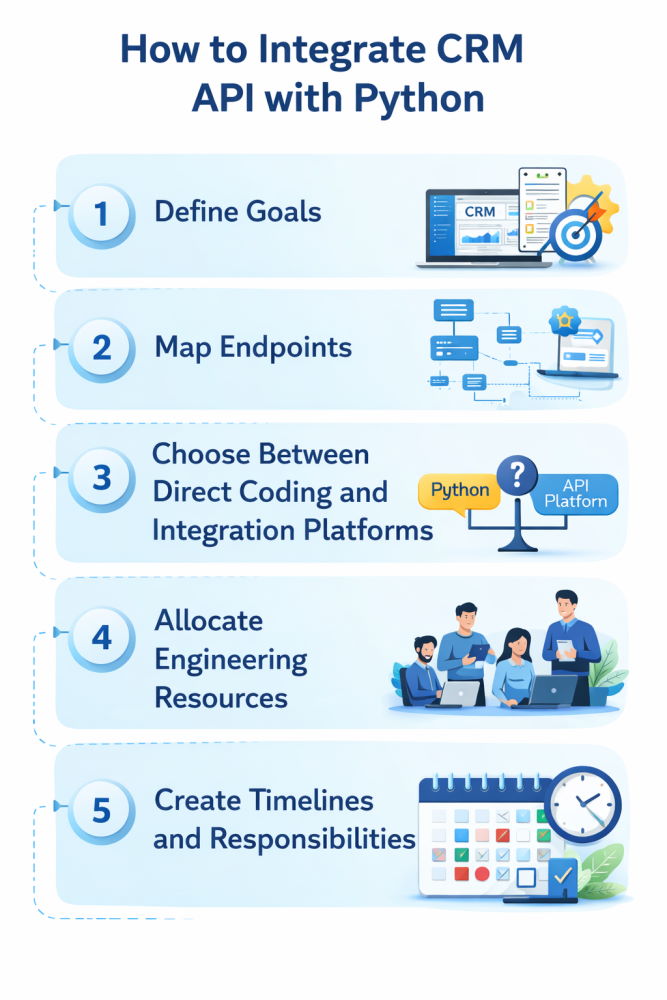
We comprehensively plan our process before proceeding with CRM API integration, so it is handled as expected, with well-structured boundaries, ownership, and requirements.
Define Goals and Map Endpoints
During the initial step, you should set the business outcomes to be achieved by the integration as well as assign ownership of customer data across systems. With the objectives on hand, you can map CRM API endpoints directly to the necessary operations, for example, lead creation, deal updates, or activity tracking, keeping scope focused and intentional.
Choose Between Direct Coding and Integration Platforms
The following stage requires teams to decide between building integrations in code or using third-party platforms. There are two core options: direct coding, which provides greater control and visibility and is fully designed to integrate with custom logic, and third-party integration platforms. They considerably accelerate the setup process, but one of their main limitations is that they reduce observability and make the cost to develop a CRM system more unpredictable.
Allocate Engineering Resources
After being deployed, CRM API integrations require ongoing engineering ownership. Among our best practices for that, we allocate some time for monitoring, adapting to API changes, and enhancing logic to meet business needs. Your integration should be approached as a maintained service to reduce operational risk and avoid data failures.
Create Timelines and Responsibilities
A practical project timeline should consider and include stages like design, implementation, testing, and rollout. To ensure the integration runs effectively and stays dependable in the future, teams require clear ownership across engineering, product, and operations. The core goal of this process is to synchronize changes and handle any arising issues, keeping the integration highly reliable.
Security & Compliance Best Practices
CRM API integrations handle sensitive customer and commercial data, which makes security and compliance foundational concerns rather than optional enhancements. A well-designed integration protects data in transit, limits access by design, and aligns with regulatory expectations as systems scale and audit requirements increase.
CRM API integrations essentially handle sensitive customer details, so you should prioritize security and compliance from the outset. A solid system should secure data in transit, limit access by design, and adapt to evolving regulatory expectations.
Secure Authentication and Access Control
Authentication should be implemented via supported standards such as OAuth 2.0 or scoped access tokens, depending on the CRM platform. Credentials must be stored securely, rotated regularly, and limited to the minimum permissions required for the integration.
Encryption and Data Protection
Each of your CRM API communications should be encrypted in transit, adopting industry-standard protocols. Moreover, sensitive fields should be handled carefully within internal systems as well, making sure logs, caches, and backups do not expose personal or financial data.
Privacy and Regulatory Compliance
CRM integrations are required to meet special data protection regulations such as the General Data Protection Regulation (GDPR). In a nutshell, this guideline represents clear data ownership, lawful processing purposes, and the ability to update or remove personal data when required.
Reviewing CRM Provider Security Specifications
Each CRM platform defines its own security guarantees, limitations, and responsibilities. It’s important to check provider documentation on authentication models, data handling, and compliance certifications to design integrations that meet platform constraints and avoid assumptions that introduce risk.
Challenges and How to Address Them
From our experience, most influential challenges appear and accumulate over time, especially when external platforms expand, internal data models change, and operational demands increase. However, some tips can help your integrations remain stable instead of becoming fragile.
Schema Changes by CRM Vendors
CRM vendors often add new fields, remove old endpoints, or change validation rules. These updates often become the reason for the broken integration logic. Using loose coupling, schema checks, and version awareness helps integrations handle changes, eliminating major problems.
Data Mapping Differences
CRMs and internal systems often organize customer data in a different manner, with field names, types, and required information that don’t always match. It’s essential to define mapping rules and ownership, ensuring data stays consistent without forcing one system to mimic the other.
Long-Term Maintenance and Support
API updates, changing business processes, and growing data volumes all require CRM API integrations require ongoing maintenance to continue performing efficiently. With clear ownership and monitoring, any arising issues can be detected and resolved soon before they damage reporting, automation, or customer-facing operations.
Tools & Platforms That Simplify CRM Integrations
CRM API integrations can be handled in-house with the right and relevant tooling choices. The used solution stack should optimize development, improve reliability, and help teams scale integration when it’s time to grow.
Pre-Built Connectors Versus Custom Builds
Pre-built connectors can accelerate straightforward integrations by abstracting common workflows such as lead syncing or contact updates. They can be great for standard use cases, but limiting if your business logic, data models, or performance needs have specialized requirements. If so, custom builds can ensure more flexibility and transparency but require more resources, such as time, effort, and budget.
Integration Platform as a Service
iPaaS solutions provide visual workflows, managed connectors, and centralized monitoring for multiple systems. They can perfectly fit simple integrations, delivering a fast, visual way to link systems, handle basic tasks automatically, and get some concise processes up and running efficiently. Yet, in the future, they can increase expenses, slow performance, and limit control.
Unified API Solutions
Unified APIs provide a single interface across different CRM systems to cut vendor-specific code. If your need is to support multiple CRMs, it’s a great option to make it easier and create a dependency on a middle layer, which must be checked for coverage, reliability, and long-term updates. With this approach, you can optimize both your budget and development for teams managing multiple CRM platforms.
Developer SDKs and Middleware Options
SDKs and middleware libraries can streamline the coding process and standardize API calls. If employed carefully, they make integrations easier to maintain, but teams should check update schedules and compatibility to avoid hidden technical issues. They also suggest some best practices to developers and reduce the chance of introducing errors during integration.
Conclusion
Qualitative CRM API integration can provide stable and safe customer data flow, supporting better strategies, accurate automation, and more scalable operations. CRM platforms often adopt event-driven designs and resilient ecosystem connections, so integrations can efficiently provide real-time coordination for all of your products and teams. In your CRM APIs are implemented and maintained as essential infrastructure with clear ownership, robust security, and in-depth planning, they will be better able to adapt as customer needs, regulations, and software systems change, delivering efficiency across all your workflows.
FAQ (Optional Section)
Our team often sees similar requests concerning CRM API integration, so we’ve prepared some concise answers to guide you further on the topic.
What’s the difference between CRM API and CRM integration?
CRM integration is a broader term that refers to connecting a CRM with other systems, covering manual imports or third-party connectors. The meaning of CRM API integration is slightly different: it implies direct, code-based connections using the CRM’s API with main aims like data synchronization, deeper control, and a better fit with how the platform works.
How secure is CRM API access?
We implement CRM APIs for our clients to be highly secure, adhering to all the crucial guidelines. Our team uses OAuth 2.0 or scoped tokens, enforces rate limits, and logs access at the API level. What’s more, security is vastly determined by how credentials are managed, permissions are set, and data is handled within internal systems.
Can I integrate multiple CRM systems at once?
Yes. Within our background, we’ve successfully handled multi-CRM integration services, so these are pretty common during migrations, acquisitions, or regional deployments. As part of this process, we set clear data mappings and ownership rules and push them through a structured integration layer.
What languages can you use to build CRM integrations?
Python is one of the most practical technologies for CRM integration services. It is highly resilient and makes integration logic easier to understand and maintain. Another benefit of Python for CRM API integration is a time-tested set of tools for HTTP, background processing, and data validation that works well for both synchronous API calls and event-driven pipelines. With an active community of enthusiasts, the technology keeps enhancing and fits naturally with modern backend stacks and data tools, so teams can use the same language across applications, integrations, and analytics.